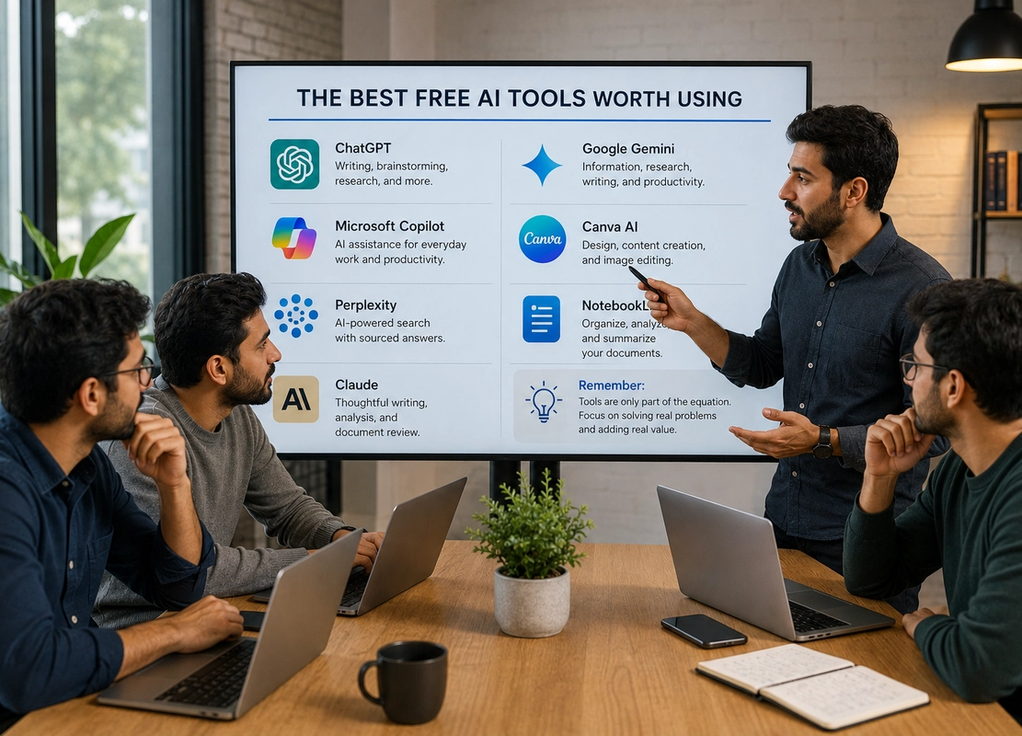
The Best Free AI Tools Worth Using
By
Enzo Hinton
July 20, 2026
Latest
Artificial intelligence has gone from a niche technology to an everyday tool in just a few years. Today, AI can help people write, research, design, edit photos, generate images, organize information, learn new skills, and automate repetitive tasks.
The challenge isn’t finding AI tools—it’s choosing the right ones.
Hundreds of new AI products launch every month, and many promise to revolutionize productivity. In reality, only a small number become genuinely useful parts of everyday life. The good news is that many of the best AI tools offer free versions that provide plenty of value before you ever need to pay for a subscription.
Here are some of the most useful free AI tools worth trying.
ChatGPT for writing, brainstorming, and research
ChatGPT has become one of the most widely used AI tools in the world, and for good reason.
It can help draft emails, generate ideas, explain complex topics, summarize information, create outlines, assist with studying, and answer questions across countless subjects. Many people use it as a writing partner, research assistant, tutor, or productivity tool.
While premium plans offer additional features, the free version is powerful enough for most everyday tasks.
For people new to AI, it’s often the easiest place to start.
Google Gemini for information and productivity
Google Gemini is Google’s AI assistant and integrates naturally with many of the company’s services.
It can answer questions, summarize information, assist with writing tasks, generate ideas, and help organize projects. For users already heavily invested in Google’s ecosystem, Gemini can fit seamlessly into existing workflows.
Its ability to handle research-oriented tasks makes it particularly useful for students, professionals, and anyone looking for quick access to information.
Microsoft Copilot for everyday work
Microsoft Copilot combines AI assistance with Microsoft’s productivity ecosystem.
Users can generate text, summarize content, brainstorm ideas, and receive help with everyday tasks. For people who regularly use Microsoft products, Copilot offers a convenient way to incorporate AI into familiar workflows.
The free version provides more than enough functionality for many personal and professional use cases.
Canva AI for design and content creation
Canva has become a favorite among entrepreneurs, marketers, students, and content creators.
Its AI-powered features can help generate designs, create presentations, edit images, write content, and simplify creative projects. Even users with little design experience can produce professional-looking graphics within minutes.
The free plan includes many tools that are sufficient for personal projects and small businesses.
For visual content creation, Canva remains one of the most accessible options available.
Perplexity for AI-powered search
Perplexity AI approaches AI differently than traditional chatbots.
Instead of simply generating answers, it focuses on providing sourced responses that help users explore information more transparently. This makes it particularly useful for research, fact-finding, and learning about unfamiliar topics.
Many users appreciate its ability to combine conversational AI with a search-oriented experience.
For anyone who spends significant time gathering information online, it’s worth exploring.
NotebookLM for organizing information
NotebookLM is designed to help users work with their own documents and notes.
Instead of relying only on general internet knowledge, it can analyze uploaded materials and help summarize, explain, and organize information. Students, researchers, writers, and professionals often find it useful for managing large amounts of content.
Its ability to turn personal documents into searchable, interactive knowledge makes it one of the more unique AI tools currently available.
Claude for thoughtful writing and analysis
Claude has become popular for writing, editing, summarization, and analytical tasks.
Many users appreciate its ability to process longer documents and generate detailed responses. It is frequently used for drafting content, reviewing text, brainstorming ideas, and exploring complex topics.
Like many AI tools, it offers both free and paid options, but the free version is sufficient for a wide range of everyday needs.
Remember that tools are only part of the equation
It’s easy to become distracted by new technology and constantly search for the next AI tool.
In reality, most people don’t need dozens of AI apps. A small number of reliable tools used consistently often provide more value than constantly switching between new platforms.
The biggest productivity gains usually come from learning how to use a few tools effectively rather than collecting as many as possible.
The technology is impressive, but how you use it matters far more.
Choose tools that solve real problems
The best AI tool is not necessarily the newest or most popular one. It’s the one that helps you accomplish something meaningful.
Whether you’re writing, studying, designing, researching, organizing information, or improving productivity, there are now free AI tools that can make those tasks easier and faster.
Start with one or two that address your biggest challenges and learn them well. Over time, you’ll discover which tools genuinely improve your workflow and which ones simply add noise.
Because the real benefit of AI isn’t having access to more technology—it’s having more time and energy to focus on what matters most.