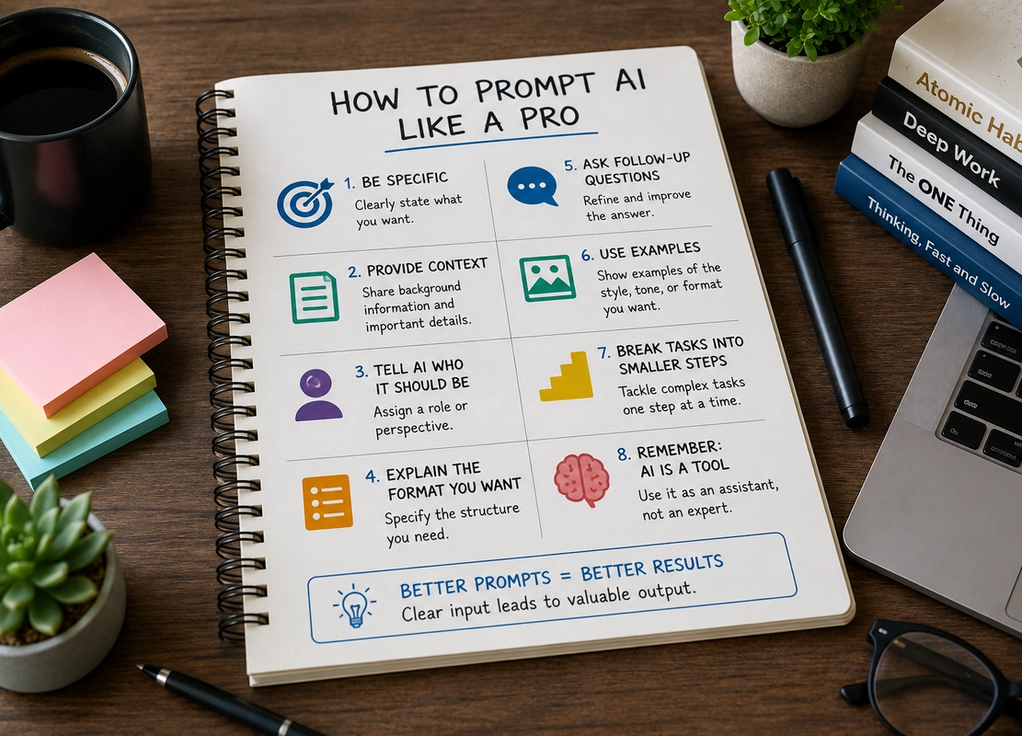
How to Prompt AI Like a Pro
By
Baylor Graham
July 20, 2026
Latest
Artificial intelligence is only as useful as the instructions it receives.
Many people try AI once, ask a vague question, receive an average answer, and conclude that the technology isn’t very impressive. Others use the same tools and consistently get detailed, helpful, and highly personalized results.
The difference is often not the AI itself—it’s the prompt.
A prompt is simply the instruction you give an AI system. Learning how to write better prompts can dramatically improve the quality of the responses you receive, whether you’re using AI for work, studying, content creation, business tasks, or everyday problem-solving.
The good news is that you don’t need technical expertise to become better at prompting. A few simple techniques can make a huge difference.
Be specific about what you want
One of the biggest mistakes people make is being too vague.
For example, instead of asking:
“How do I market my business?”
Try:
“I own a small online jewelry business with a limited budget. Give me five marketing strategies I can implement over the next 30 days.”
The second prompt provides context, constraints, and a clear objective. As a result, the AI has a much better chance of producing a useful answer.
In general, the more specific your request, the more relevant the response tends to be.
Provide context
AI performs best when it understands the situation you’re working in.
Imagine asking:
“Write an email.”
The response could go in countless directions.
Now imagine asking:
“Write a friendly follow-up email to a client who attended a sales meeting last week but hasn’t responded yet.”
The additional context immediately improves the output.
Whenever possible, include information such as:
- Your goal
- Your audience
- Relevant background details
- Constraints or limitations
- Desired outcome
Context helps AI understand what success looks like.
Tell AI who it should be
One surprisingly effective prompting technique is assigning a role.
For example:
- “Act as a career coach.”
- “Act as a marketing consultant.”
- “Act as an experienced project manager.”
- “Act as a financial educator.”
By defining a role, you encourage the AI to approach the task from a specific perspective.
This often produces more focused, practical, and relevant responses.
You don’t need to use this technique every time, but it can be especially useful when seeking advice, analysis, or professional guidance.
Explain the format you want
Many people forget that AI can tailor not only the content of its response but also the structure.
Instead of simply asking for information, specify how you’d like it presented.
Examples include:
- Bullet points
- Step-by-step instructions
- Tables
- Summaries
- Checklists
- Email drafts
- Social media posts
- Detailed articles
For example:
“Explain compound interest in simple language using a step-by-step example.”
Or:
“Give me a table comparing stocks, bonds, and index funds.”
The clearer the format, the easier it becomes to use the output immediately.
Ask follow-up questions
One of the biggest advantages of AI is that the conversation doesn’t have to end after a single response.
Many users treat AI like a search engine, asking one question and moving on. Experienced users often refine the conversation through follow-up prompts.
For example:
- “Can you simplify that?”
- “Give me more examples.”
- “Explain it for a beginner.”
- “Make it shorter.”
- “Rewrite it in a more professional tone.”
- “Expand on point three.”
The first response doesn’t have to be perfect. Think of it as the beginning of a collaboration rather than the final result.
Use examples whenever possible
AI learns a great deal from examples.
If you want a specific writing style, structure, or format, showing an example often works better than describing it.
For instance:
“Write an article similar in tone to this example.”
Or:
“Here’s how I usually write emails. Match this style.”
Examples reduce ambiguity and help AI understand exactly what you’re looking for.
When in doubt, show rather than tell.
Break complex tasks into smaller steps
Many people ask AI to solve large, complicated problems in a single prompt.
While this can work, better results often come from breaking tasks into smaller stages.
Instead of:
“Help me start a business.”
Try:
- “Help me identify a business idea.”
- “Help me define my target customer.”
- “Create a pricing strategy.”
- “Write a marketing plan.”
Working step by step allows for more detailed and thoughtful responses.
It also gives you greater control over the final outcome.
Remember that AI is a tool, not an expert
Even excellent prompts won’t make AI perfect.
AI can make mistakes, misunderstand context, provide outdated information, or generate confident-sounding answers that require verification. That’s why critical thinking remains essential.
The best users view AI as an assistant rather than an authority. They use it to brainstorm, organize information, accelerate tasks, and explore ideas while still applying their own judgment.
AI works best when combined with human expertise, not when replacing it entirely.
Better prompts create better results
Many people assume AI is either good or bad based on a handful of interactions.
In reality, the quality of the output often depends heavily on the quality of the input. Clear instructions, useful context, specific goals, and thoughtful follow-up questions can dramatically improve the experience.
The difference between an average prompt and a great prompt can be the difference between a generic answer and a genuinely valuable one.
Because in the world of AI, knowing what to ask is often just as important as having the technology itself.